Draw the desk you already have
List the monitor, keyboard, mouse receiver, headset, external drive, card reader and charger you actually use. Include occasional equipment such as a projector at a meeting room. Write the connector beside each item, then mark the connections that overlap.
This catches a common mismatch: a computer may technically support all your accessories, yet have too few ports for the combination you need. If charging occupies one of two USB-C ports, that leaves only one for everything else unless a compatible dock or hub shares the connection.
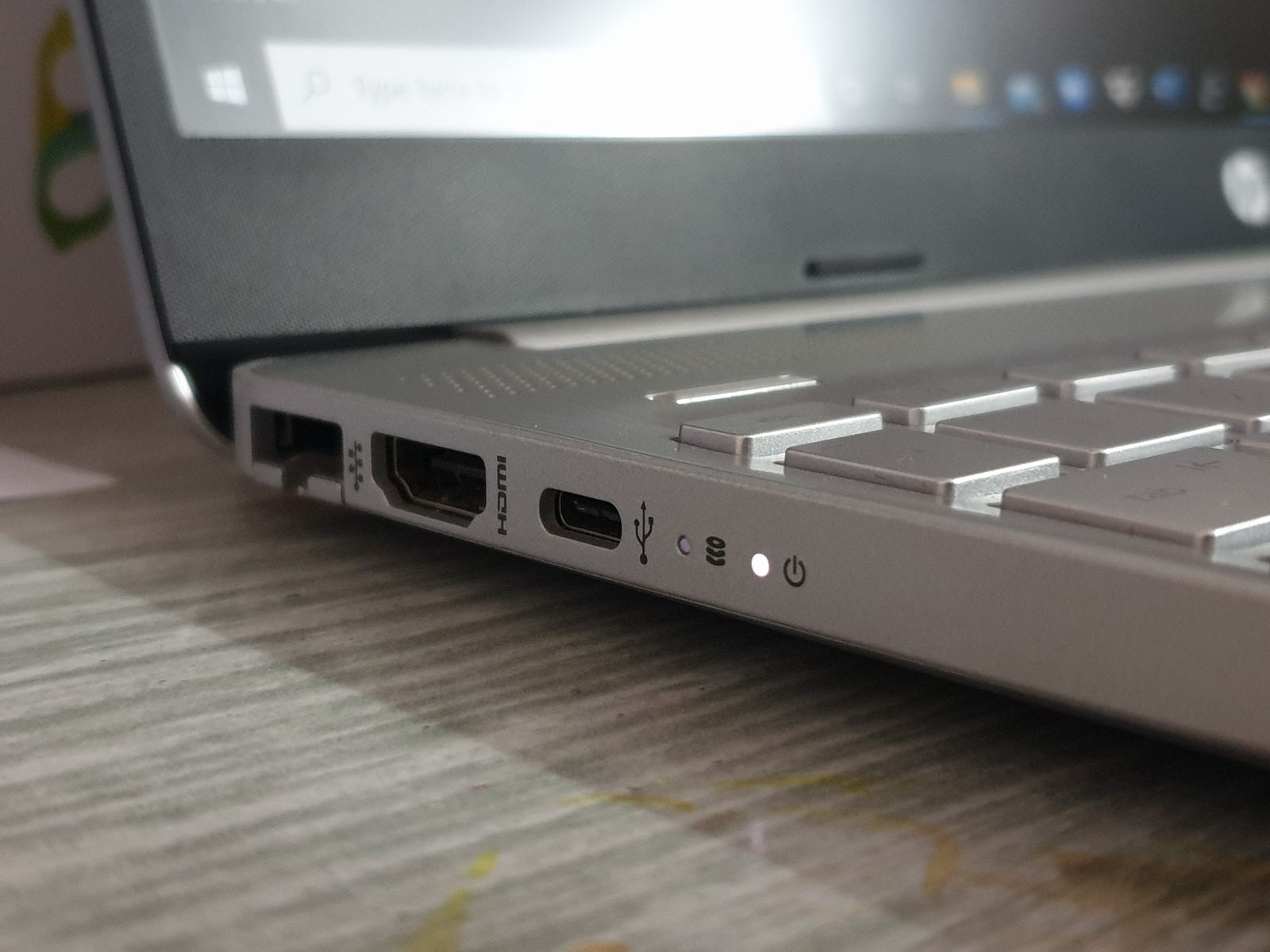
Look at port placement as well as quantity. A display cable or large adapter beside your mouse hand can be inconvenient. Two sockets placed very close together may not comfortably accept two wide plugs. Photographs of both sides of the laptop are useful here.
The shape does not describe every capability
USB-C is a connector shape used for different combinations of data, power and video. A USB-C port is not a promise that a laptop can charge through it or drive an external screen through it. Read the specifications for the exact port and model.
For a monitor, match the laptop's supported output with the display's input, resolution and refresh rate. An adapter needs to support that combination too. A connector fitting at both ends does not prove that the whole path can deliver the picture you expect.
For external storage, consider data capability separately from charging. A cable sold mainly for charging may transfer files slowly, even when it works perfectly for power. If you routinely move large photo or video folders, this distinction is worth checking before purchase.
Headset sockets and memory-card readers are similarly specific. Confirm whether the audio socket accepts the microphone arrangement on your headset and whether the card reader takes the card size you use. A small omission can be harmless if you rarely need it, or a daily nuisance if you depend on it.
Add the missing pieces to the price
A dock can be a sensible way to connect a fixed desk through one cable, but it introduces its own compatibility requirements. Check the operating system, display support and power delivered to the laptop. The dock's advertised total power is not necessarily what reaches the computer.
A simple adapter may be enough for a device you connect once a month. There is little reason to reject an otherwise suitable laptop because it lacks every possible socket. The question is whether the workaround is affordable, dependable and easy to carry when needed.
Before retiring the old computer, test the new one with your real accessories. Open a file from the drive, send a picture to the monitor and make a short call through the headset. Keep the old arrangement available until the replacement has passed those ordinary tasks.